Meow Gallery is a plugin designed to help you create galleries and collections to display on your website in the simplest and fastest way possible.
It comes with several built-in layouts, ready to use, and offers customization options to make them your own. You can explore all the available layouts in the “Layout” section.
Meow Gallery, as the name suggests, is a gallery plugin only—it does not include a lightbox (the feature that enlarges an image when clicked). However, it works seamlessly with any lightbox plugin. If you need this feature, make sure to check out Meow Lightbox.
Galleries can be added to your pages in three different ways, and you’re free to choose the one that best fits your workflow. There is no wrong way to do it.
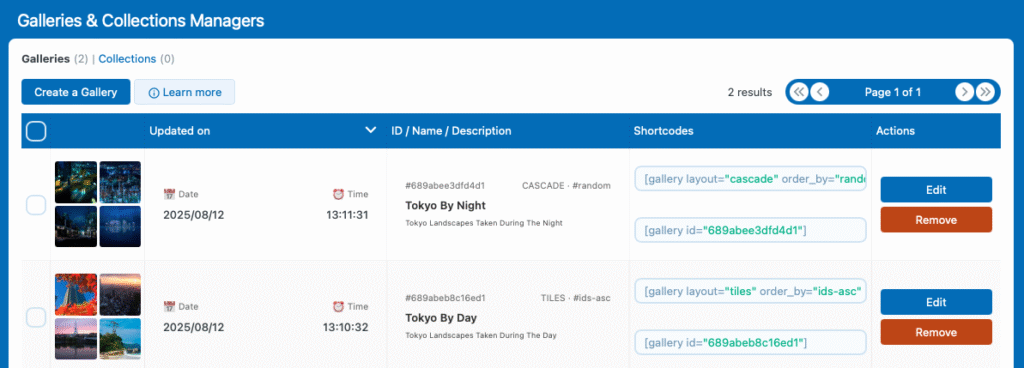
- Gallery Manager: Directly in the plugin settings, you’ll find the “Galleries & Collections Manager” tab, which serves as a central dashboard for creating, editing, and managing all your galleries in one place. This is especially useful if you want to keep everything organized and plan to reuse your galleries across different pages on your site.
You can reference these galleries using either a shortcode or a block, and they will stay in sync with your posts.
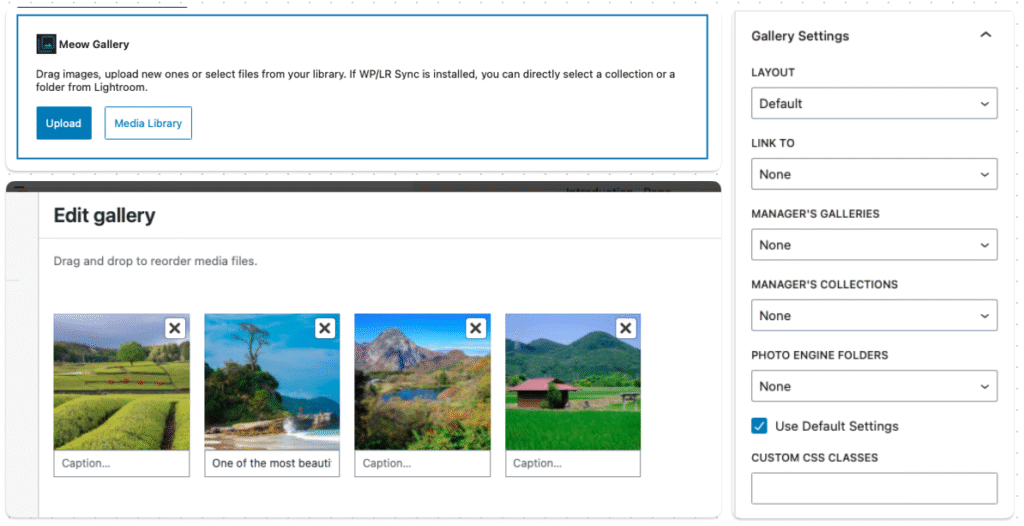
- Block: If you are using Gutenberg or a block-compatible builder, you can simply use a Gallery block (or a Meow Gallery block if you want to keep things separated). This allows you to create a gallery directly inside your post, where it will be stored — perfect for one-time use galleries.
This lets you choose media directly from the WordPress library, or you can also select a gallery from the Manager, or from your Adobe Lightroom Collections (if you are using Photo Engine + WP/LR Sync).
- Shortcode: And of course, you can use a shortcode to refer to a gallery — this is kind of the old-school way if you’re using the Classic Editor, but it also lets you reference a WP/LR Sync collection or a Gallery Manager gallery ID, for instance. This can also be useful if you’re building your own code to generate galleries: you can define the shortcode arguments and then instantiate it later.
[gallery layout="tiles" order_by="random" ids="10, 5, 6, 15, 14"]
[gallery id="688c6d2fbd68e1"]
[gallery layout="justify" wplr-collection="1"]